
Lionbet Tanzania app: APK install, bonus and fixes
The Lionbet Tanzania app packs the casino and sportsbook into an Android APK, with a TZS 5,000 bonus waiting once the install and registration are done. This page covers the install itself, the space it needs, and the fixes for the two failure patterns Tanzanian players report most often.


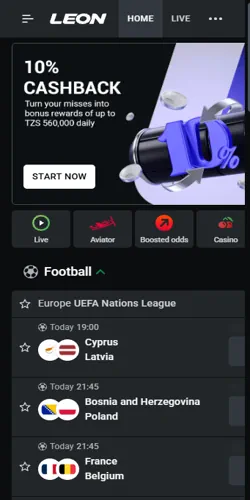
App bonus
The TZS 5,000 reason the app exists
The app is not on the Play Store. Lionbet Tanzania distributes its Android build itself as an APK from the operator's own site, and the reward for taking that extra step is a TZS 5,000 app bonus credited once the install and registration are complete.
The bonus is scoped on purpose. It works on slots and live casino games rather than sports, so it suits a first evening in the lobby, and because it is bonus money it follows the same campaign rules as any other offer: one active bonus at a time, the TZS 12,500 bet cap while wagering, and the full rule set explained on the page about the wagering rules that apply to bonus money.
- App bonus
- TZS 5,000
- Trigger
- APK install plus registration
- Usable on
- Slots and live casino games
- Distribution
- APK from the operator's site
Install
Install the Android APK in five verified steps
Each step has a checkpoint. Work through the list on the phone you will actually bet from, tap a step to mark it done, and if a step fails, stop there instead of pushing on, because a half-installed APK is how most update loops begin.
- Open the official Lionbet Tanzania site in the phone browser and sign in or register. Checkpoint: the homepage loads with the casino and sports sections visible.
- Open the menu and tap the app or Android download section. Checkpoint: the download button sits inside the site itself, never on a third-party store page.
- Download the APK file. The browser warns that the file can harm the device, a warning that appears for any APK and is exactly why the source matters.
- Allow installs from unknown sources when Android asks, then run the downloaded file. Checkpoint: the installer names the app and finishes without errors.
- Open the app and log in with your phone number and password. Checkpoint: the lobby opens, the balance shows, and the app bonus appears in the bonus section if you are eligible.
iOS
The iPhone path is shorter than you think
iPhones skip the APK entirely. On iOS the app arrives through the App Store storefront for Tanzania under the operator's name, and the install behaves like any normal iOS app with no unknown-sources step and no warnings.
The alternative is the browser shortcut. Adding the mobile site to the home screen from Safari produces an app-shaped icon that opens the full lobby, which suits older iPhones where the native build may feel heavier than the site.
Either path uses one account. Bets, balance and bonuses follow the same login, so moving between the iPhone app, a browser and a friend's Android later never strands money in a second profile, which the terms would treat as a duplicate.
Space and data
Storage, data and the Android floor
Budget about 50 MB. The APK is small by gaming standards, roughly 50 MB of free storage on top of what Android already reserves, and the cited Android floor of version 5.0 covers essentially every smartphone sold in Tanzania in the last eight years, including the Infinix and Tecno models that dominate the local market.
Data is the real running cost. A fresh download over mobile data costs less than one evening of live casino streaming, and once installed the app is kinder to bundles than the browser version because it caches the lobby instead of redownloading it on every open, which matters on the prepaid bundles most Tanzanian players run on.
| Requirement | Figure | Notes |
|---|---|---|
| Free storage | ~50 MB | Plus room for updates |
| Android version | 5.0 or higher | Covers common Infinix, Tecno, Samsung models |
| iOS path | App Store (TZ) | Or the Safari home-screen shortcut |
| Account | One login | Same balance on app, browser and mobile site |
When it breaks
When the app breaks: update loops and failed connections
An update loop is not a ban. The pattern reported most often is the app demanding an update that does not exist in any store, which happens because the APK came from the site and a store update never reaches it; the fix is to pull the current APK from the official site and install it over the old build, which keeps the account intact.
| Symptom | Likely cause | Fix |
|---|---|---|
| "Update available" but no update exists | Server expects a newer APK than the installed build | Download the current APK from the official site and install over the old one |
| App opens to "failed to connect" | Weak network or a stale session | Switch between Wi-Fi and mobile data, then log in again |
| App missing from the launcher | Failed update or storage cleanup | Reinstall from the official site; the balance stays on the account |
| Login rejected after reinstall | Old session tied to the replaced build | Reset the password through the registered phone number |
Security
Lock the app before you hand over the phone
A lock takes one minute. The app keeps the session open by design so a bet can be placed quickly, which also means anyone holding the phone with the session live holds the account, and Android's built-in app lock, a fingerprint prompt or a guest profile closes that gap in under a minute.
- Turn on the system app lock for the betting app, with fingerprint if the phone has a reader.
- Log out after sessions on shared phones instead of relying on the screen lock alone.
- Keep the betting SIM in your own name, because withdrawals pay to the wallet behind the registered number.
- Never install an APK from a link sent in chat; the only safe source is the operator's own site.
Limits belong in the account rather than in willpower. Deposit and wagering caps can be set from the profile, decreases apply immediately, and they matter most on a device that is always within reach; the full set of tools is on the responsible gaming page.
Who it suits
Who the app suits and who should skip it
The browser is enough for many. The app earns its place for anyone who bets most days, follows live odds, or runs a phone that handles the install comfortably, while a once-a-week punter loses nothing in the browser, which carries the same lobby, the same bonuses and the same cashier.
Skip the install when the phone is short on storage, when the number on the account belongs to a borrowed SIM, or when the Android version sits below the floor. In those cases the mobile site in Chrome or Opera Mini is the safer bet, and every figure on this page still applies to it.